A website for your business in one evening — no developers needed
Pick a template, change the text right on the page and hit Publish. Framely takes care of hosting, HTTPS, speed and leads.
- ready-made blocks
- 27
- starter templates
- 7
- sites for free
- 3
- lines of code to launch
- 0
Features
Everything a website needs to bring in leads
No plugins, hosting or server setup: open the editor and get to work.
Edit right on the page
Click any text in the preview and type. Drag blocks around with the mouse, and Ctrl+Z undoes anything.
27 blocks, dozens of layouts
Hero, pricing, reviews, gallery, countdown, map, comparison, product catalog, blog, messenger buttons — each in several variants.
Design in one click
Pick your brand color and buttons, accents and links are recolored across the whole site. Light and dark themes, six fonts.
Forms and leads
Leads arrive in your dashboard, by email and in Telegram. Spam protection and a consent checkbox are built in.
Your own domain and HTTPS
Connect a domain and the certificate is issued automatically. Or use a free address on framely.site.
Fast pages
Sites are published as ready-made HTML without heavy scripts. Videos and maps load only on click.
And more
Details you won't have to think about
The things people usually remember after launch are already done.
SEO out of the box
Page titles and descriptions, Open Graph, sitemap.xml, Google Search Console and Yandex Webmaster verification.
Multilingual sites
Add languages, translate texts, links and images, and visitors get /en, /de and other versions with a language switcher.
Mobile version
Phone and tablet preview, separate spacing and hiding blocks on mobile.
Shared header and footer
Fix the menu once and it updates on every page of the site.
Spam-protected forms
A honeypot field, a fill-time check and rate limits — without annoying captchas.
Blog
A blog that brings in search traffic
Write posts right in Framely and show them anywhere on the site: a blog page, feeds of the latest posts and related posts under every article.
Editor with a live preview
Headings, lists, quotes and images from your media library, with a preview in your site’s style.
Drafts and scheduled posts
Save a draft, publish now or pick a date: the post goes live on its own, without publishing unfinished page edits.
Posts in every language
Each post belongs to one language and appears only in that version of the site. Translations are linked to each other.
Feed and article blocks
Latest posts in four layouts, the full archive with pagination, the article page and “Read also”.
SEO and sitemap
Titles, descriptions, Open Graph and article markup for search engines. Posts are added to sitemap.xml automatically.
RSS feed
An RSS feed in every language for feed readers and news aggregators.
What Framely looks like
Real editor screens — nothing extra.
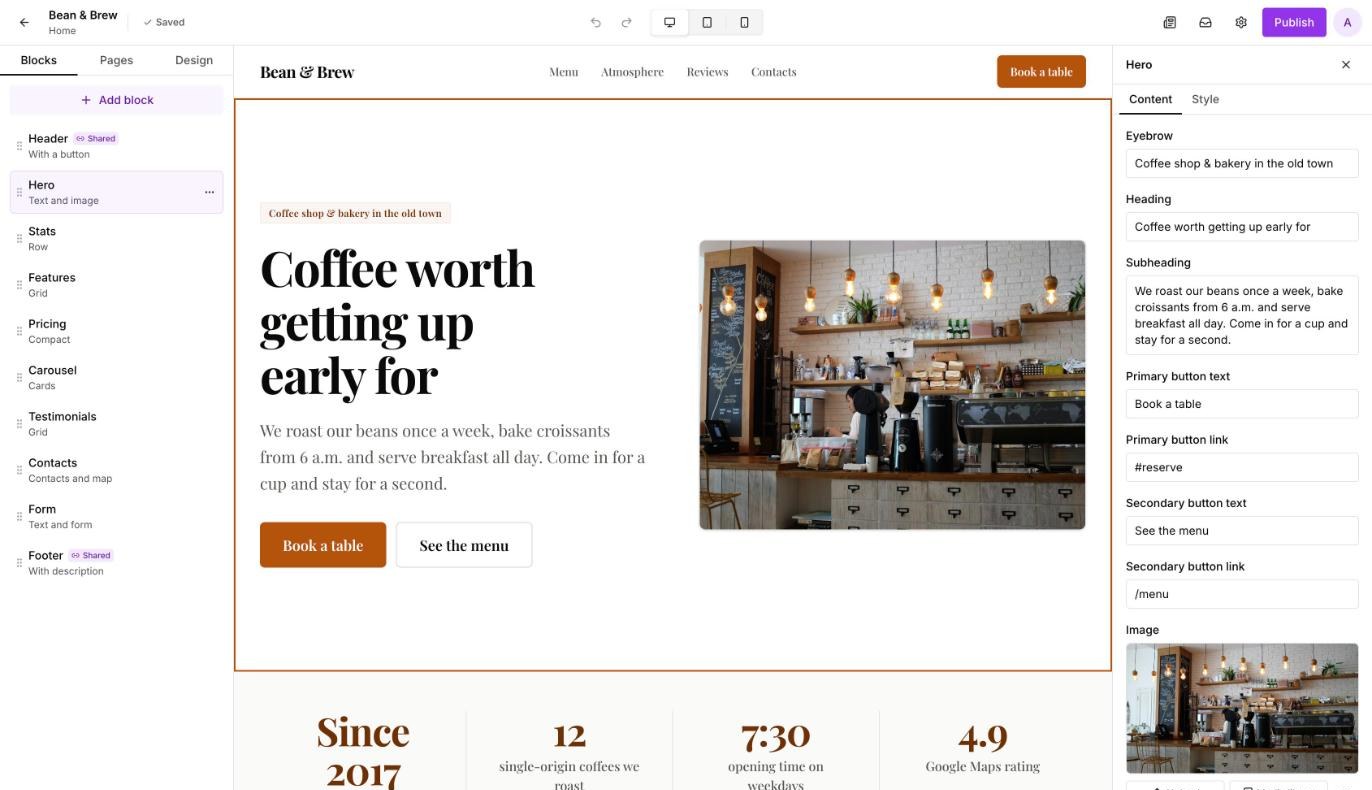
Editor
Page blocks on the left, live preview in the middle, settings of the selected block on the right.
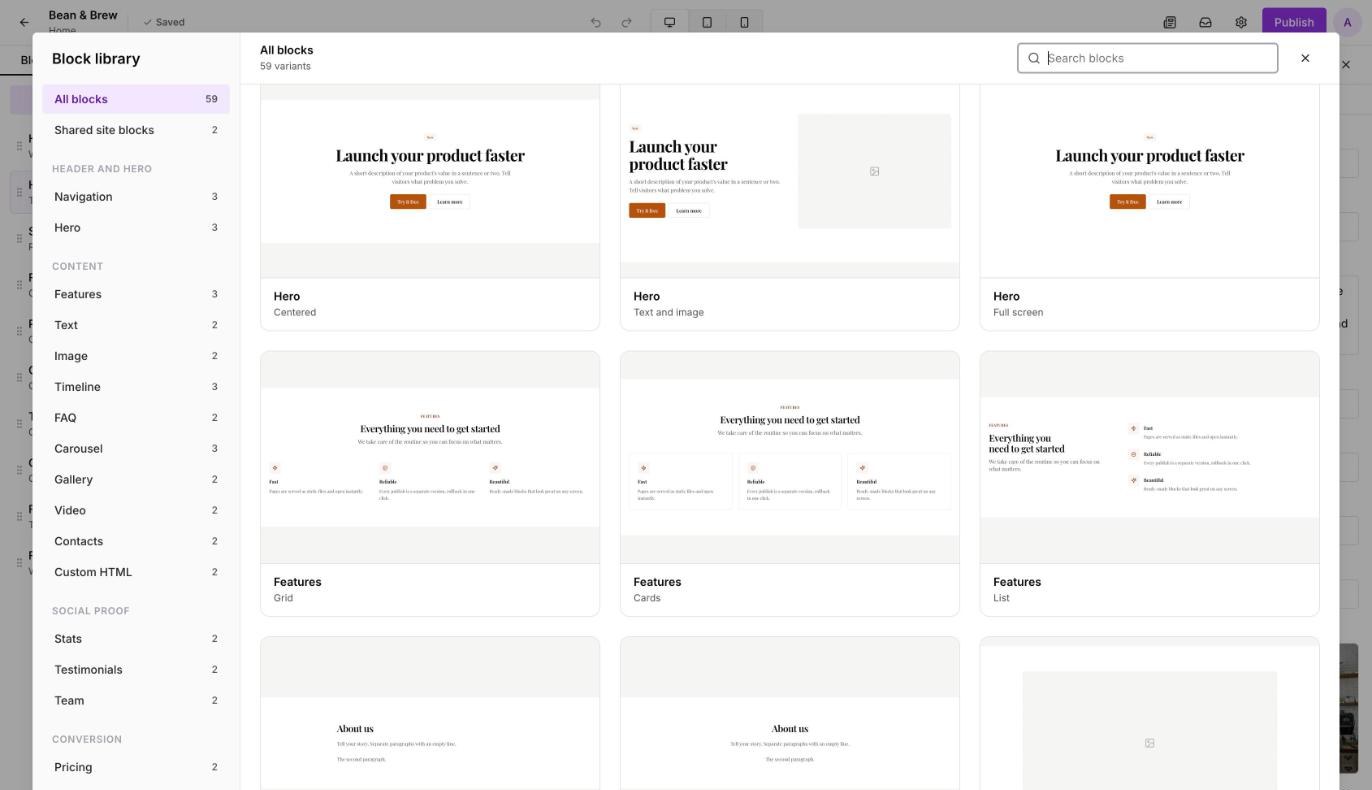
Block library
27 blocks and about sixty layouts with live previews. Added in one click.
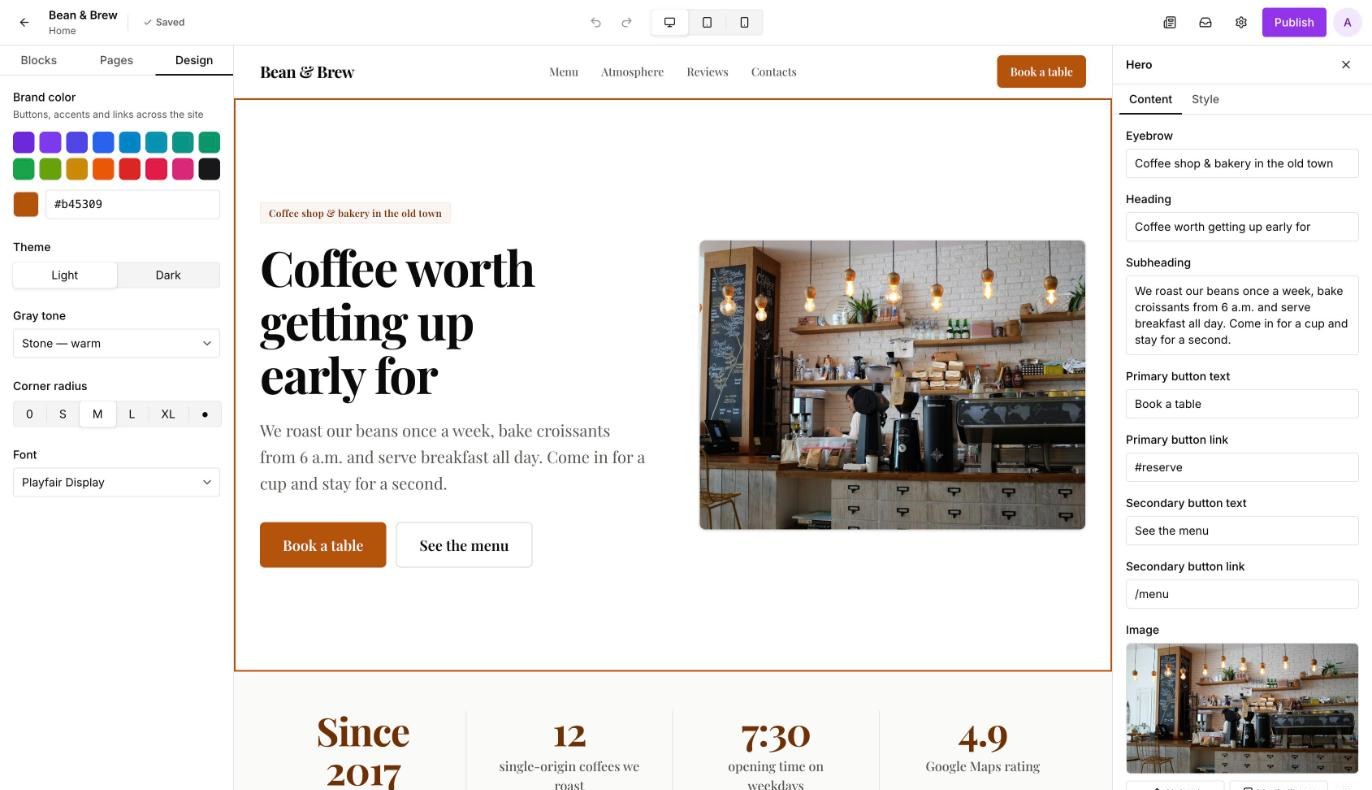
Site design
Brand color, theme, corner radius and font — for the whole site at once.
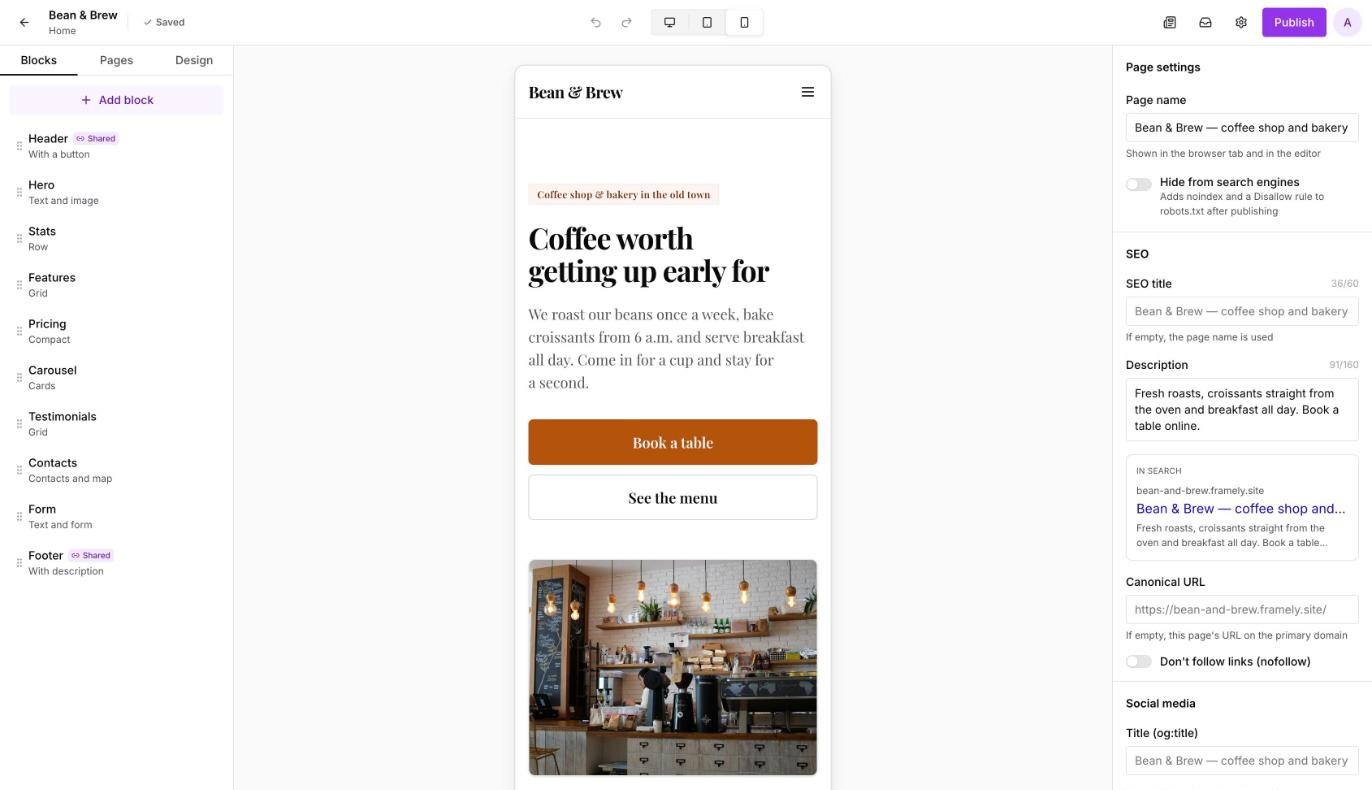
Mobile preview
See how the page looks on a phone before you publish.
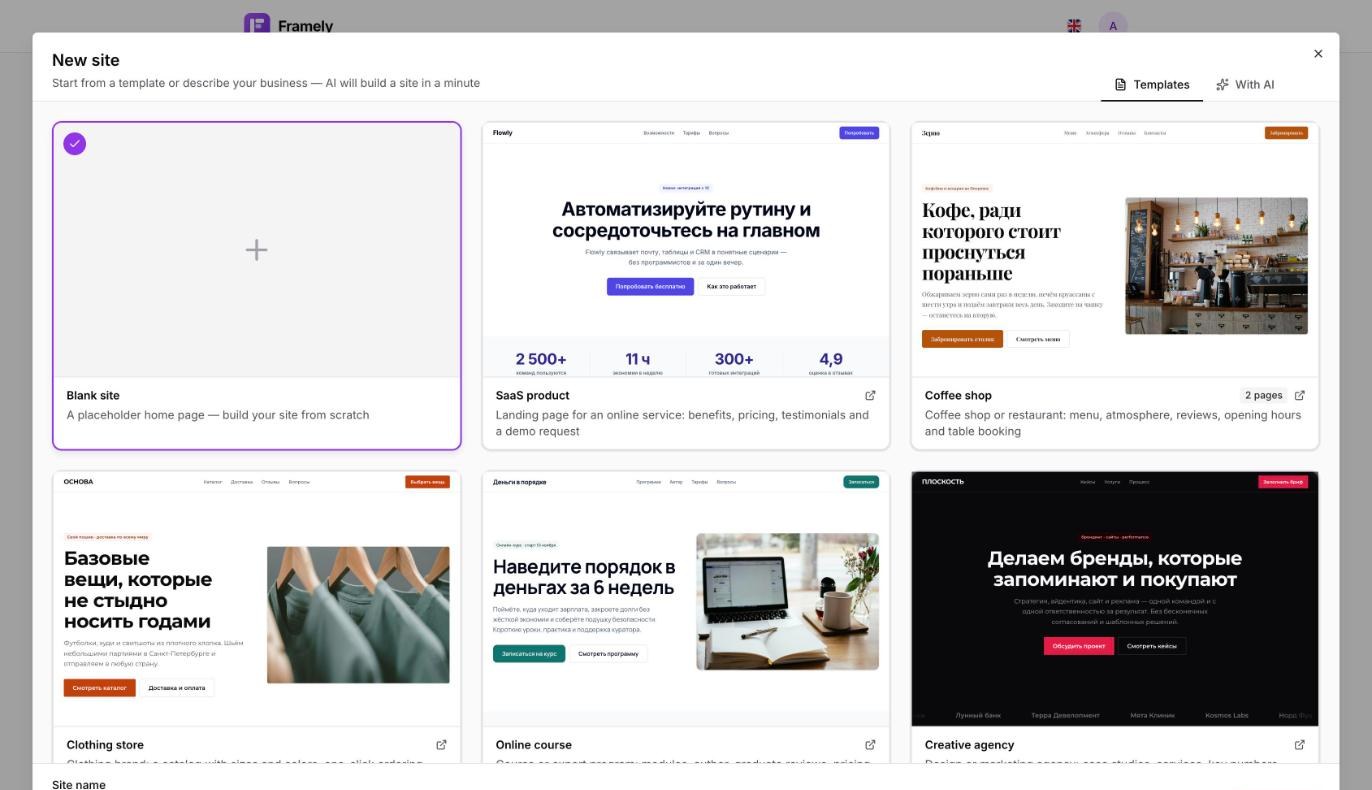
Templates
SaaS, coffee shop, online course, agency, conference, local services and a clothing store — with ready-made copy.
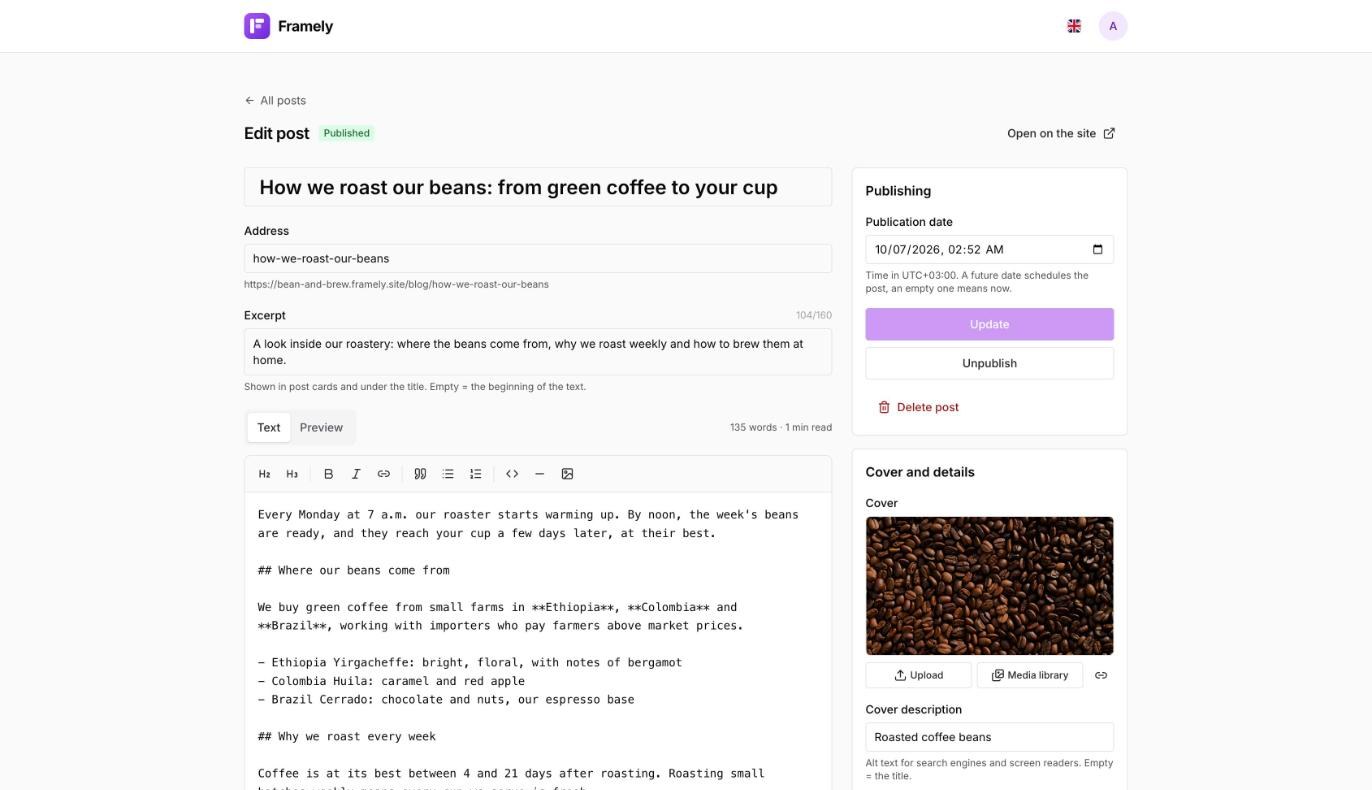
Blog
Posts in Markdown with a live preview, drafts, scheduled publishing and translations.
How it works
From idea to website in four steps
- 1
1 minute
Pick a template
Or start from a blank page and build it from blocks.
- 2
One evening
Change texts and photos
Right on the page: click, type, drop in an image.
- 3
5 minutes
Connect a domain
Add one DNS record and HTTPS turns on automatically.
- 4
1 click
Publish
The site updates instantly, and previous versions stay in case you want to roll back.
Don't start from a blank page
Seven templates with a thought-out structure and ready-made copy: a SaaS product, a coffee shop, an online course, a creative agency, a conference, local services and a clothing store. Replace the texts with your own and the site is ready.
Why Framely
Compare with the usual ways
| Feature | Framely$0 or $9/mo | Hire an agencyone-off payment | Build it in codedeveloper time |
|---|---|---|---|
| Launch | one evening | several weeks | several weeks |
| Edits without a developer | Yes | No | No |
| Hosting and HTTPS included | Yes | No | No |
| Leads in the dashboard and Telegram | Yes | No | No |
| Pixel-perfect custom design | No | Yes | Yes |
Pricing
Start for free and upgrade when you need your own domain.
Free
To try it out and launch your first landing page
$0forever
- Up to 3 sites
- Home page + up to 3 more pages
- An address like name.framely.site
- All blocks except Custom HTML
- Forms and leads in the dashboard
Paid
PopularFor businesses that need their own domain
$9/mo per site
- Your own domain and HTTPS
- Unlimited pages
- Multiple languages
- SEO: meta tags, sitemap, Open Graph
- Leads by email and in Telegram
- Custom HTML block
Frequently asked questions
Do I need to know how to code?
No. The site is built from ready-made blocks, and texts are edited right on the page. If you need more, the paid plan has a Custom HTML block.
Do I need separate hosting?
No. Sites are published on our infrastructure with automatic HTTPS. You don't need to buy or set up anything except a domain, if you want your own.
How do I connect my own domain?
On the paid plan, add the domain in the site settings and create one CNAME record at your registrar. The certificate is issued automatically.
Where do form leads go?
To the Leads section of your dashboard, where you can export them to Excel. On the paid plan, each lead with all its fields also goes to your email and Telegram.
Can the site be in several languages?
Yes, on the paid plan. Add languages in the site settings and translate texts, links and images in the editor; untranslated texts fall back to the main language.
Will the site look good on a phone?
Yes, all blocks are responsive. The editor has phone and tablet previews, and you can hide individual blocks on mobile.
How do I upgrade to the paid plan?
Leave a request below and we'll switch your plan and help with the domain. Online payment is coming soon.
Paid plan
We'll set up the plan and your domain
Leave your contacts and we'll help move your site and connect the domain. We reply within one business day.
Build your first site today
Free, no card and no developer required.
Похоже, вы говорите по-русски. Открыть русскую версию сайта?